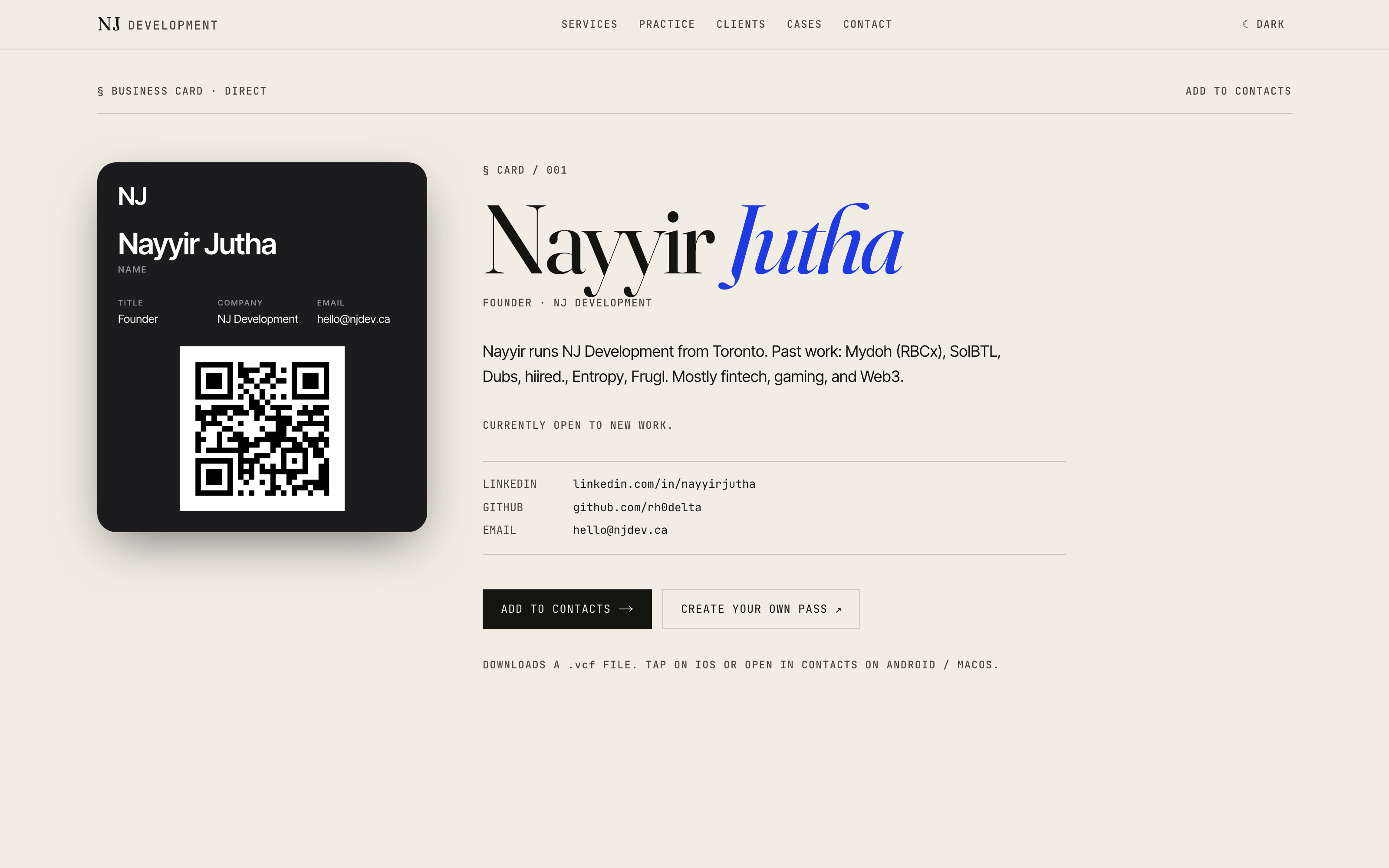
A business card
you install.
The case study is the proof. Visit /card, generate a signed pass, install it in three taps.
A business card is a pitch. So is a Wallet pass. Put them together and the artefact is the proof. A stranger lands on njdev.ca, generates a signed .pkpass, and installs it in three taps. The pitch now lives on their lock screen.
Every pass is issued under NJ Development’s own Pass Type ID. Try it under our cert. When you want one under yours, we build it.
No accounts. No database of strangers. Every pass signed under one cert. That shapes the rest.
Stateless QR split. Nayyir’s card QR points to njdev.ca/card because there’s a real destination. A stranger’s card embeds a self-contained vCard 3.0 string in the QR: scan it, get the contact, no round-trip. The same builder serves a .vcf file over text/vcard for “Add to Contacts.”
One cert, careful edges. Everything issues under NJ’s Pass Type ID, so the surface is small and the abuse cost is ours. Input is sanitised and control-char stripped, fields are length-capped, serials are fresh randomUUID()s per request, and a token-bucket limiter (~5/min/IP) turns junk input into 400s and 429s, never a 500.
Six things Wallet won’t forgive.
Wallet is a strict reader. Miss any of these and the pass won’t open, won’t install, or installs and clobbers the last one.
- 01
WWDR G4 only
The Apple WWDR intermediate must be the G4 certificate. G2, G3, G5, and G6 all fail Wallet validation. Verified with openssl verify -partial_chain.
- 02
Exact MIME
application/vnd.apple.pkpass or Wallet refuses to open it. No shortcuts, no octet-stream.
- 03
icon.png is mandatory
Ship 1x / 2x / 3x. Miss it and the pass fails silently on install.
- 04
Node, not edge
Signing pulls in native code. next.config.ts declares serverExternalPackages so Railway resolves them at runtime rather than trying to bundle.
- 05
Fresh serial each request
Reuse a serial and Wallet treats the new pass as an update. Installs collide and overwrite each other.
- 06
~398-day cert cycle
Apple’s Pass Type ID cert has a hard lifetime. A calendar reminder sits ~13 months out.
What the generator does.
- 01
Signed .pkpass
passkit-generator v3 from-buffers, exact application/vnd.apple.pkpass MIME, storeCard style.
- 02
Live 1:1 preview
Client CardPreview matches the installed pass. Form, colours, and QR all bind live.
- 03
Full colour picker
Background, foreground, label. Contrast checker warns when a combo dips below WCAG.
- 04
Uploads via sharp
Logo (160×50) and strip (375×98) re-encoded to exact dimensions. EXIF stripped, ~512 KB cap.
- 05
Monogram fallback
No logo? Initials render server-side through @napi-rs/canvas in the pass foreground colour.
- 06
Stateless QR split
Nayyir’s card links to /card. Stranger cards embed a self-contained vCard. No DB.
- 07
Rate-limited
~5/min/IP in-memory token bucket. Abusive input yields 400 / 429, never 500.
- 08
Magic-link delivery
Passes emailed via Resend with a re-download link. No account required.
Five steps, tap to tap.
- 01
Design your card
Name, title, contact fields, and a colour palette. Preview updates as you type.
- 02
Upload marks
Drop a logo or a strip image. Skip both, and a monogram takes its place.
- 03
Generate
The server signs a fresh .pkpass. New UUID serial, correct MIME, mandatory icon.png.
- 04
Install
Tap the pass on device. Apple Wallet opens it in three taps.
- 05
Share
Others scan the QR. Nayyir’s card opens /card; a stranger card writes a full vCard.
What powers it.
- Next.js 16
- App Router, server-side signing
- TypeScript
- End-to-end type safety
- passkit-generator
- From-buffers .pkpass signing
- @napi-rs/canvas
- Monogram + preview rendering
- sharp
- Logo / strip re-encoding, EXIF strip
- qrcode
- Preview QR (server generates its own)
- Railway
- Persistent Node container
- Resend
- Pass delivery + contact form
What we chose, and why.
- 01
Vite → Next.js, not in place
The portfolio was a Vite SPA. Signing needs a real server. Rather than shim Node into the SPA, we ported the whole site to Next.js 16 App Router. Clean scaffold, components moved over, visual parity, no hydration warnings.
- 02
Railway over Vercel
passkit-generator, sharp, and @napi-rs/canvas are native. A persistent Node container gives us in-process signing, native deps that resolve at runtime (via serverExternalPackages), and a rate limiter whose state survives across requests. Trade-off: the limiter resets on redeploy. Fine for v1.
- 03
Stateless QR split
Nayyir’s own card QR points to njdev.ca/card. Stranger cards embed a vCard 3.0 string right in the QR, capped at ~600 characters for scanability. The same builder serves a .vcf via text/vcard for “Add to Contacts.” No user accounts, no DB, no tokens to leak.
- 04
Monogram fallback
A card without a logo shouldn’t look broken. If no image is uploaded, we render initials to PNG with @napi-rs/canvas (circle field, centred text, pass foreground colour) and inject that as the pass logo. Same code path as a real upload.
- 05
One cert, careful edges
Every pass is issued under NJ’s Pass Type ID. That posture drives the rest: input sanitised and control-char stripped, per-field length caps, fresh crypto.randomUUID() serial per request, 4.5:1 / 3:1 contrast warning surfaced in the preview, abusive input returns 400 or 429, never a 500.